
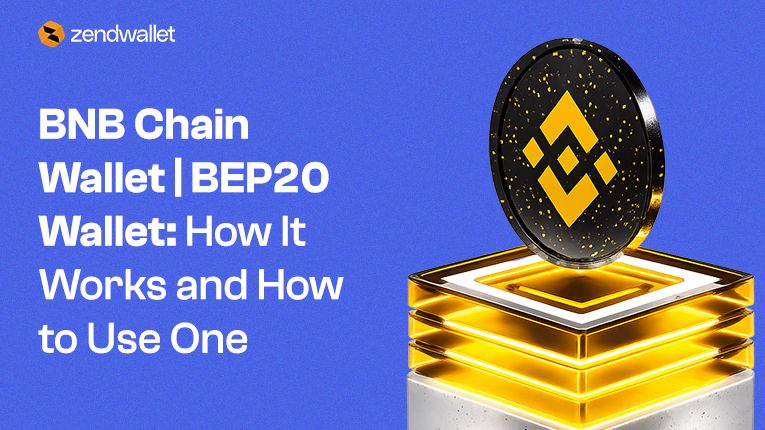
BNB Chain Wallet | BEP20 Wallet allows users to store, send, receive, and swap tokens on the fast-growing BNB Chain network.
As decentralized finance and Web3 applications continue to expand, wallets that support the BEP‑20 token standard have become essential for accessing DeFi platforms, NFT marketplaces, and blockchain-based applications.
A BNB Chain Wallet | BEP20 Wallet grants users full authority over their digital assets while enabling seamless interaction with thousands of decentralised applications.
In this guide, you will learn what a BNB Chain Wallet | BEP20 Wallet is, how it works, how to create one, and how to buy BNB using ZendWallet.
What Is a BNB Chain Wallet?
A BNB Chain wallet is a crypto wallet designed to support the BEP-20 token standard used on BNB Chain.
It allows users to:
- Store BNB and BEP-20 tokens
- Send and receive crypto payments
- Swap tokens within the wallet
- Connect to decentralized applications (DApps)
- Participate in decentralized finance
BNB Chain wallets serve as gateways to the entire BNB ecosystem.
Top Read: BNB Contract Address: What Is It and Is it the same as the BNB Smart Chain (BSC) Contract Address?
What Is a BEP20 Wallet?
A BEP20 wallet is simply a wallet that supports BEP‑20 tokens.
The BEP20 standard defines how tokens operate on the BNB Chain network. It functions similarly to the ERC‑20 standard used on Ethereum.
Popular BEP20 tokens include:
- BNB
- CAKE
- USDT (BEP20)
- USDC (BEP20)
- Various DeFi tokens
Because BEP20 tokens support smart contracts, they can be used in decentralized exchanges, lending protocols, NFT platforms, and Web3 applications.
Top Read: BEP20 Wallet Address: Your Guide to What It Is and How to Create One
Key Features of a BNB Chain Wallet
A modern BNB Chain Wallet | BEP20 Wallet includes features that enable users to participate fully in the blockchain ecosystem.
1. Secure Crypto Storage
Users can securely store:
- BNB
- BEP20 tokens
- NFTs on supported networks
The wallet provides full control over private keys and digital assets.
2. Instant Token Swaps
Many wallets integrate swap functionality, allowing users to exchange cryptocurrencies directly within the wallet without using centralized exchanges.
3. Access to DApps
BNB Chain wallets allow users to connect directly to decentralised applications, including DeFi platforms, NFT markets, and blockchain games.
4. Multi-Chain Support
Some wallets support multiple networks, allowing users to manage different cryptocurrencies in one place.
How to Buy BNB on ZendWallet
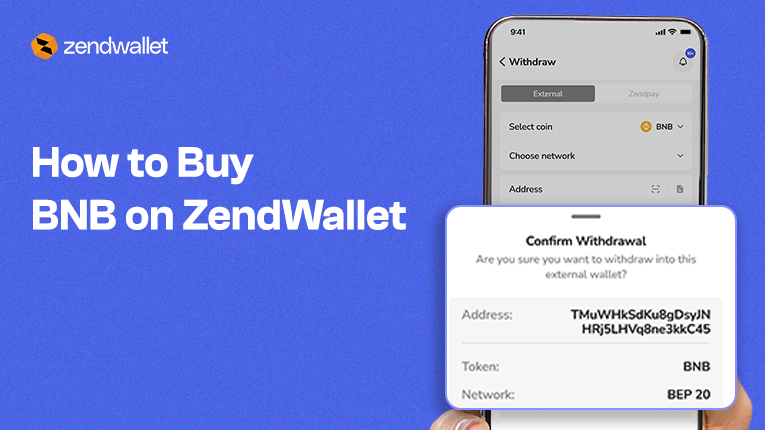
One of the easiest ways to get BNB is through ZendWallet, which lets users swap cryptocurrencies instantly within the wallet.
Follow these steps to buy BNB using ZendWallet.
Step 1: Log in to Your ZendWallet Account
Open the ZendWallet website or mobile app.
- Sign in using your email and password
- Enable two-factor authentication (2FA) for additional security
This ensures your wallet and funds remain protected.
Step 2: Navigate to the Swap Section
Once logged in:
- Click on the “Swap” tab
- Select BNB as the cryptocurrency you want to swap
Choose the cryptocurrency you want to swap from, such as:
- Tether
- Bitcoin
- USD Coin
Step 3: Enter the Swap Details
Input the amount of BNB you want to purchase or swap.
Before confirming the transaction:
- Review the real-time exchange rate
- Verify the amount of crypto you are swapping
Make sure all details are correct before proceeding.
Step 4: Confirm and Authorize the Swap
Review the transaction details carefully.
Then:
- Confirm the selected cryptocurrency
- Enter your 2FA verification code
- Click “Swap Now”
ZendWallet will process the transaction instantly.
Step 5: Track Your Swap Status
After completing the swap:
- Go to Transaction History in your ZendWallet account
- Monitor the transaction status
Once completed, the purchased BNB will appear in your wallet balance.
Top Read: https://zendwallet.com/products/swap-binance-coin-bnb-instantly
Why Use ZendWallet for BNB Transactions?
Using ZendWallet offers several advantages when managing BNB and other cryptocurrencies.
Fast Crypto Swaps
Users can swap crypto assets instantly without leaving the wallet.
Secure Transactions
Advanced security features such as 2FA help protect user accounts.
Multi-Asset Support
ZendWallet supports multiple cryptocurrencies including BNB, USDT, BTC, and USDC.
Easy-to-Use Interface
The platform is designed for both beginners and experienced crypto users.
How to Create a BNB Chain Wallet
Creating a BNB Chain Wallet | BEP20 Wallet is straightforward.
Step 1: Download a Wallet App
Choose a wallet that supports BNB Chain.
Examples include:
- ZendWallet
- Bitget Wallet
- Trust Wallet
- MetaMask
Install the app from the official website or app store.
Step 2: Create a New Wallet
Open the wallet and select Create Wallet.
The wallet will generate a seed phrase.
This phrase is the master key to your wallet.
Step 3: Secure Your Recovery Phrase
Write down the recovery phrase and store it safely.
Never share your seed phrase with anyone.
If lost, access to the wallet cannot be recovered.
Step 4: Add the BNB Chain Network
Most wallets allow users to add different blockchain networks.
To add BNB Chain:
- Open wallet settings
- Select Add Network
- Choose BNB Chain
Once added, the wallet will display BNB and BEP-20 tokens.
How to Use a BEP20 Wallet
After setting up your wallet, you can start using it for different transactions.
Send Tokens
Enter the recipient’s wallet address and confirm the transaction.
Always verify the address carefully to avoid errors.
Receive Tokens
Share your BNB Chain wallet address with the sender.
The address usually begins with 0x, similar to Ethereum addresses.
Swap Tokens
Use the wallet’s swap feature or connect to decentralized exchanges like PancakeSwap to trade tokens.
Connect to DApps
Use the wallet’s built-in browser to access decentralized applications within the BNB Chain ecosystem.
Benefits of Using a BNB Chain Wallet
Low Transaction Fees
BNB Chain transactions typically cost only a few cents compared to higher fees on Ethereum.
Fast Transactions
Transactions usually confirm within seconds.
Large DApp Ecosystem
BNB Chain hosts thousands of decentralized applications across:
- DeFi
- NFTs
- Gaming
- Social platforms
Full Asset Control
Users maintain full ownership of their assets through private keys.
Safety Tips for Using a BEP20 Wallet
To protect your funds, follow these best practices:
- Store your seed phrase offline
- Use official wallet apps only
- Avoid clicking unknown wallet links
- Verify token contract addresses before trading
Security is critical when interacting with decentralized platforms.
Top Read: https://zendwallet.com/bnb-to-naira/bnb-price-to-ngn
Frequently Asked Questions
How to buy BNB?
You can buy BNB by swapping cryptocurrencies on ZendWallet.
Simply log into your account, go to the Swap section, select BNB, enter the amount you want to purchase, confirm the transaction, and track the swap in your transaction history.
What’s the best BNB Chain wallet?
The best BNB Chain wallet is one that provides secure storage, fast swaps, and access to the BNB ecosystem.
ZendWallet is a strong option because it allows users to store crypto assets, swap tokens instantly, and manage multiple cryptocurrencies from a single platform.
How to download ZendWallet and create a BNB Chain wallet?
To download ZendWallet:
- Visit the official website or app store
- Download the wallet application
- Create a new wallet or import an existing one
- Add the BNB Chain network
- Start sending, receiving, or storing BEP20 tokens
Conclusion
A BNB Chain Wallet | BEP20 Wallet is essential for managing tokens on the BNB Chain and accessing decentralized finance, NFTs, and Web3 applications.
These wallets allow users to store digital assets, swap tokens, and interact with blockchain applications seamlessly.
For users looking to manage their crypto assets and swap tokens easily, ZendWallet offers a simple, secure way to buy and manage BNB on a single platform.
With the increasing adoption of blockchain technology, a trustworthy BNB Chain Wallet | BEP20 Wallet is essential.
It allows users to fully engage with the growing digital economy while retaining complete ownership of their assets
Related Article You can also read: USDT BEP20: Contract Address, Wallet, and How It Differs from TRC20 and ERC20