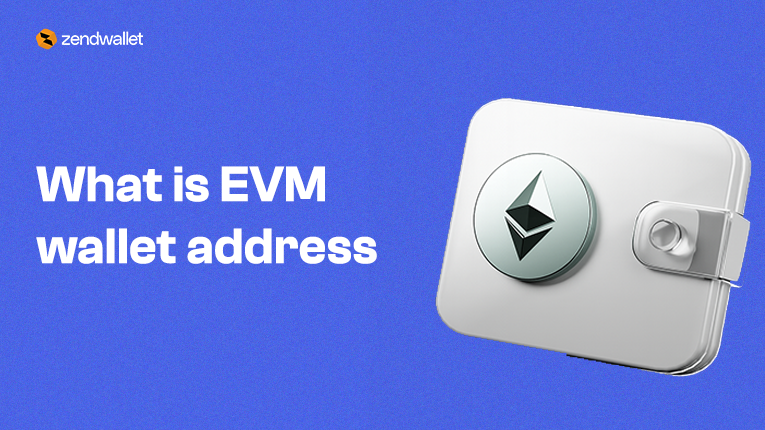
An EVM wallet (Ethereum Virtual Machine wallet) is a crypto wallet that works across all blockchains built on the EVM.
Because most of today’s Web3 networks run on the EVM, including Ethereum, BNB Smart Chain, Polygon, Avalanche C-Chain, Arbitrum, Optimism, Base, and more, an EVM wallet is among the most widely used wallet types worldwide.
It allows you to use one wallet across multiple blockchains, interact with smart contracts, store tokens, and manage your identity across the full EVM ecosystem.
This guide breaks down everything you need to know in clear, simple terms.
EVM Wallet Meaning
An EVM wallet is a digital wallet designed for blockchains that use the Ethereum Virtual Machine.
If a blockchain is “EVM-compatible,” your wallet automatically works on that network.
This gives you the ability to:
- Use the same wallet across many chains
- Store and transfer assets on any supported network
- Connect to DeFi platforms, NFT marketplaces, and Web3 apps
Use your wallet as your universal on-chain identity
Instead of managing different wallets for each blockchain, you use one EVM wallet that works everywhere.
What Is an EVM Wallet Address?
An EVM wallet address is your unique identifier on every EVM chain.
It always starts with 0x
Example:
0x8e1F42A27F92e9BFA34D5190c6B7E2C6b93F4E9B
The important part is this:
Your EVM address is the same across all EVM blockchains.
So the same address can receive:
- ETH on Ethereum
- USDT on Polygon
- BNB on BNB Smart Chain
- AVAX on Avalanche C-Chain
- ARB on Arbitrum
What changes is only the network, not the address.
Related: Ethereum Contract Address
How to Get an EVM Wallet Address on ZendWallet
An EVM wallet address gives you access to the entire Ethereum ecosystem and other EVM-compatible networks like BNB Smart Chain, Polygon, Avalanche C-Chain, Arbitrum, Optimism, Base, and more.
These networks all use the same format: an address that starts with 0x.
On ZendWallet, getting your EVM wallet address takes just seconds. The platform automatically creates it as soon as your account is active, making it easy to receive USDT, USDC, ETH, and other supported assets across multiple EVM chains.
Below is a step-by-step guide to finding your EVM wallet address on ZendWallet, as well as on other popular wallets like MetaMask, Trust Wallet, and Bitget Wallet.
Step 1 — Sign Up on ZendWallet
- Create your account using your email or phone number.
- Complete the quick KYC process to activate your wallet features fully.
Step 2 — Open Your Wallet Dashboard
- Once your account is active, ZendWallet automatically provides an EVM-compatible address.
- There’s no need to generate anything manually; it’s created instantly.
Step 3 — Click “Receive”
- Select any supported EVM asset, such as:
- USDT
- USDC
- ETH
- MATIC (Polygon)
- BNB
- AVAX (C-Chain)
- USDT
- ZendWallet will display your 0x… address along with a QR code you can scan.
Step 4 — Copy Your Address
- Click the copy icon.
- Your EVM wallet address is now ready to receive deposits on any supported blockchain.
ZendWallet automatically detects the network your deposit comes from, making it easy to move value across chains with:
- Instant deposits
- Simple swaps
- Transaction tracking
- Strong compliance protection
This makes ZendWallet one of the most convenient ways to manage EVM-based assets in Africa.
Related: How to Get BNB Token ID and Password on ZendWallet
How to Find an EVM Wallet Address on Other Wallets
Even though ZendWallet gives you an instant EVM address, many users also use external wallets.
Here’s how to find your EVM wallet address on the most common ones:
MetaMask
MetaMask is one of the most widely used EVM wallets.
- Open MetaMask
- Your EVM address appears at the top under your account name
- Tap to copy — the wallet copies it immediately
Your MetaMask 0x address works across Ethereum, BNB Chain, Polygon, Avalanche, Arbitrum, Optimism, Base, and other EVM networks.
Trust Wallet
Trust Wallet follows a simple flow:
- Open the app
- Select the token you want to receive (e.g., USDT or MATIC)
- Tap Receive
- Your 0x wallet address and QR code will appear
Trust Wallet uses one unified EVM address that works across chains.
Bitget Wallet
Bitget Wallet also supports EVM networks:
- Open the wallet
- Switch to All Networks or select an EVM token
- Tap Receive
- Your 0x address will show with a copy icon
This is your multi-chain EVM address for Ethereum, BNB Chain, Polygon, and others.
EVM Addresses Look the Same Across Networks
Whether you are on:
- Ethereum
- BNB Smart Chain
- Polygon
- Avalanche C-Chain
- Base
- Arbitrum
- Optimism
Your EVM wallet address will always look identical (same 0x format).
The only difference is the network you select when sending or receiving. If the wrong network is chosen, the deposit may not show up until it is recovered manually.
Our platform helps prevent this by clearly indicating supported networks and confirming transactions before they are processed.
You can also read: Buy Ethereum on Zendwallet.
What Makes ZendWallet EVM Wallets Easier
Our platform, ZendWallet, is built for:
- Easy deposits
- Simple swaps between supported assets
- Direct off-ramping into local African currencies
- Transaction visibility
- Compliance protection
- Customer support when needed
With ZendWallet, you get an EVM-compatible wallet without managing seed phrases or private keys, making it ideal for everyday users and businesses.
How to Find Your EVM Wallet Address Using a Blockchain Explorer
A blockchain explorer lets you check activity on a blockchain. For Ethereum, Etherscan is the most popular. Other EVM networks have their own explorers, such as BscScan for BNB Chain or PolygonScan for Polygon. You can use these platforms to view wallet addresses, token balances, and transaction history.
Finding and verifying your EVM wallet address is easy. Paste your address into the explorer’s search bar to see your balance, token holdings, and past transactions. This helps confirm that your address was copied correctly.
If you only have a transaction ID, you can search for it to see the sending and receiving addresses involved and identify your wallet.
Blockchain explorers are read-only. They show what is happening on-chain, but cannot move funds. Use them to verify transactions and monitor activity securely.
Frequently Asked Questions About EVM Wallets
1. What is an EVM wallet example?
An EVM wallet is a wallet that supports Ethereum-compatible blockchains. A great example is ZendWallet. With ZendWallet, you can securely store Ethereum and other EVM-based tokens like USDT and USDC, send and receive payments across multiple chains, and interact with Ethereum-based dApps all from one platform. Other examples include MetaMask and Trust Wallet, but ZendWallet combines convenience, speed, and transparency for cross-border payments.
2. How do I find my EVM wallet address?
Finding your ZendWallet EVM address is simple:
- Open your ZendWallet app
- Select the Ethereum wallet or any EVM-compatible asset
- Tap Receive
- Copy your wallet address. It starts with 0x…
This is the address you can use to send or receive any EVM-compatible token.
3. Is an EVM wallet the same as an ETH wallet?
Yes. Every ETH wallet is essentially an EVM wallet. With ZendWallet, your Ethereum wallet works across multiple EVM-compatible blockchains, meaning the same address can receive ETH, USDT, USDC, and other tokens while maintaining full visibility and control over your funds.
4. Is Binance an EVM wallet?
No. Binance is an exchange, not an EVM wallet. While Binance supports EVM-compatible blockchains like BNB Smart Chain, you need an EVM wallet like ZendWallet to securely store, send, and receive your crypto assets.
ZendWallet gives you full control, fast settlements, and complete transparency, unlike exchange wallets.
Conclusion
An EVM wallet is your key to Ethereum and all the networks built on it. With a single 0x… address, you can send, receive, and store assets like ETH, USDT, and USDC, and use decentralized apps across chains like BNB Smart Chain, Polygon, Avalanche, Arbitrum, Optimism, and Base.
Instead of using multiple wallets, an EVM wallet keeps everything in one place and makes moving between networks simple. With ZendWallet, managing your EVM assets is even easier.
Your wallet address is created automatically when you sign up, and you can start sending, receiving, and swapping supported tokens right away.
You also get clear visibility of your transactions and support for multiple chains, all in one platform.
You can also watch: https://youtu.be/FAp8MnYt-qA?si=VuFXnNyKyiFy43jl